
What is Kling AI, and how does it work?
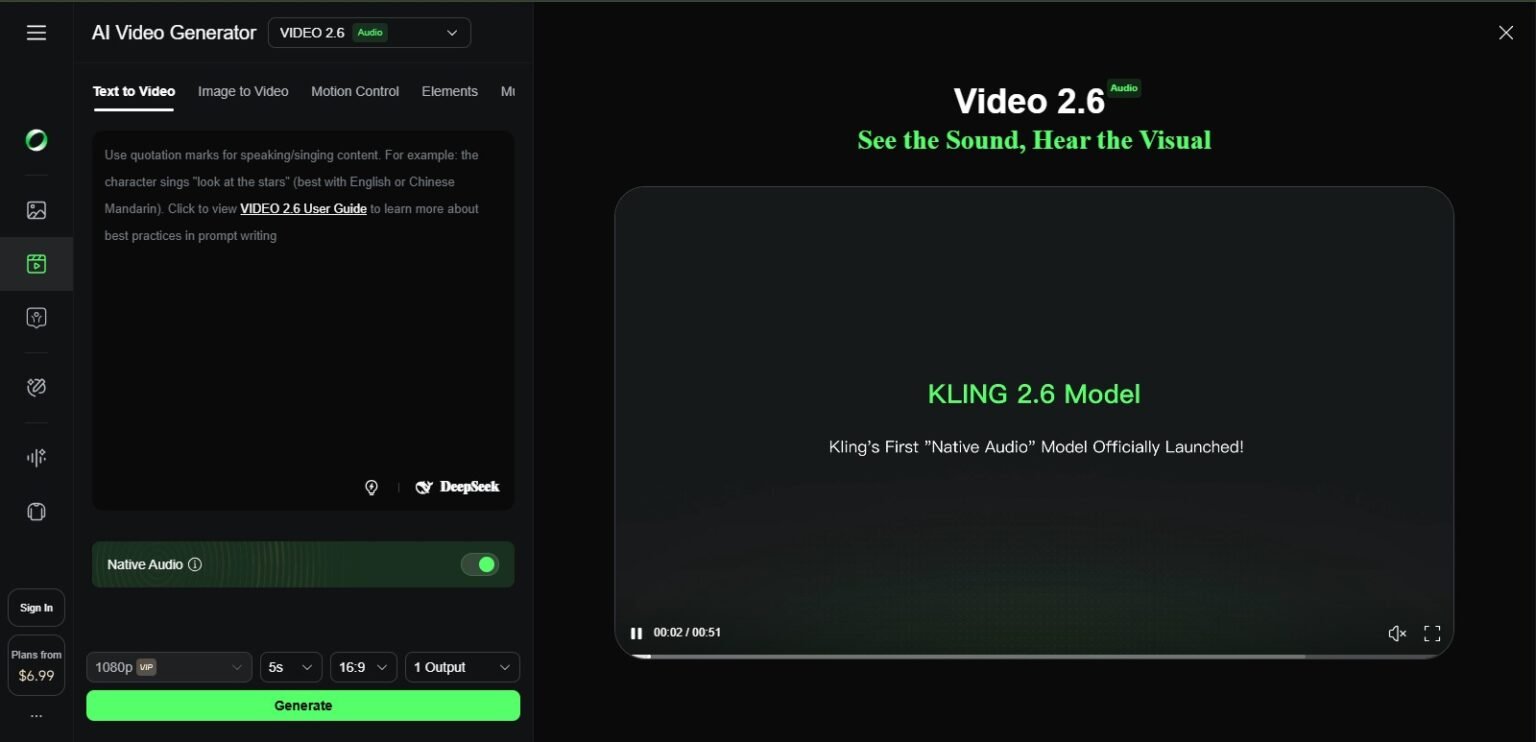
Three Main Ways to Create
Text to Video
Tell me what happened in plain English. Kling makes it. A sunset over mountains, a product on a sleek table, and a character walking through a city can all be created with just words.Image-to-Video
Upload a still image, drawing, or piece of art. Kling brings it to life with realistic movement and effects from the environment. This is honestly one of the coolest things about it: watching a still picture come to life is always fun.Elements
This is Kling’s best feature. You can use up to four reference images to make sure that characters look the same in all of the videos you make. This fixes the problem of AI tools that change your character’s face every generation.Important Things to Know
Kling AI has a lot of useful features. This is what really matters for everyday use:
Quality and Resolution of the Video
Kling can make videos with a resolution of up to 1080p at 30 to 48 frames per second. The newest version, Kling 2.5 Turbo, came out in September 2025 and makes things 40% faster while keeping the picture quality sharp. This resolution is more than enough for most social media and marketing needs.
The Length of the Video and the Extension Feature
Depending on your plan, standard generations can last up to 10 seconds. But this is where it gets useful: Kling’s video extension feature lets you send clips that are up to 3 minutes long. That’s a lot longer than most of the competition, which usually only lasts 10 to 35 seconds. This is a real benefit if you need narrative shots that have time to breathe.
Control the Camera and Motion Brush
Want to be able to move the camera exactly how you want? You can tell Kling how to move the camera—panning, zooming, and drone shots—right in your prompt. With the Motion Brush feature, you can control how objects and characters move in the frame even more precisely. This level of direction makes a big difference in the final product for marketers and content creators.
Feature for Lip Sync and Avatar
You can upload a picture to Kling’s Avatar feature (which came out in September 2025) and watch it turn into a talking, expressive avatar with realistic lip-syncing. It keeps the original style but adds movement and facial expressions. Is it useful? A lot, for anyone making explainer videos, testimonials, or social media posts that don’t need a real person on camera.
Flexibility in Aspect Ratio
Vertical TikTok? YouTube sideways? Instagram square? Kling works with all of them right out of the box. No strange cropping or having to resize by hand after the fact. You choose the format ahead of time, and the generation will follow it.
💡 Tip: Always upload high-resolution source images when you use Image-to-Video. The quality of Kling’s output is directly related to the quality of the input image. A clear 4K source image will always look better than a 720p screenshot that has been compressed.
How Much Does Kling AI Cost in 2026?
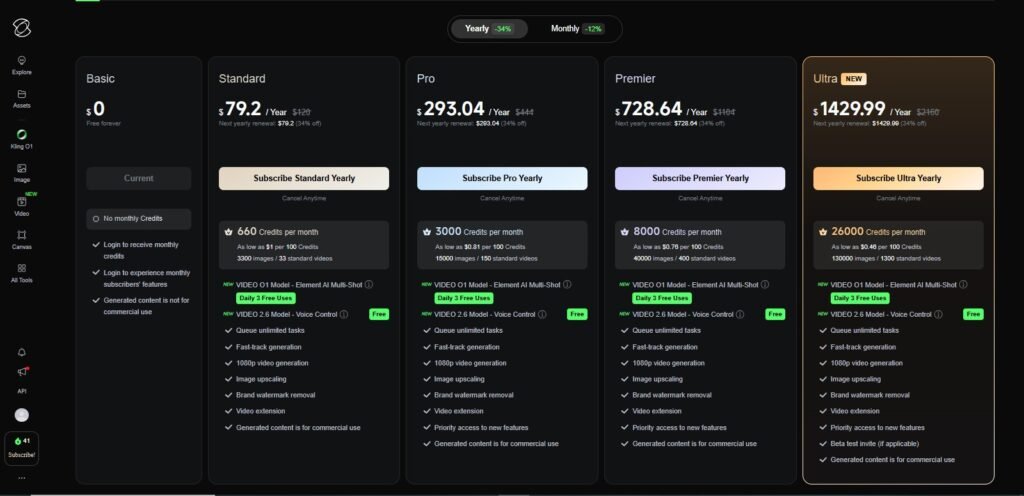
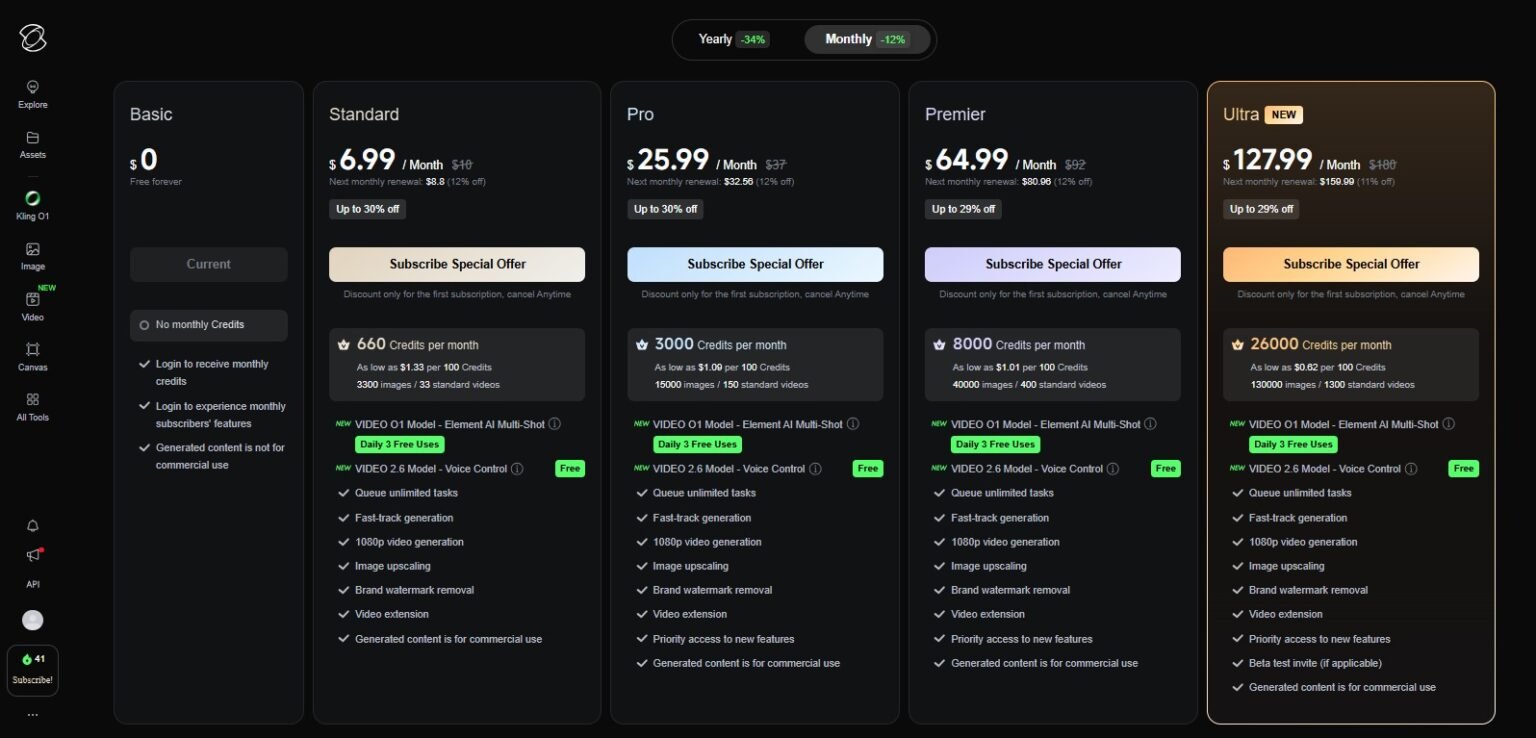
Kling uses a credit-based system. Depending on the resolution, length, and model you’re using, every video you make uses up credits. Let’s go over each plan in detail.
The Four Plan Tiers
Plan | Price/Month | Monthly Credits | Maximum Resolution | Maximum Length of Video |
Free | $0 | 66/day | 720p | 5–10 sec |
Standard | $10 | 660 | 720p | 30 sec |
Pro | $37 | 3,000 | 1080p | 60 sec |
Premier | $92 | 8,000+ | 1080p+ | Up to 3 min |
In Professional Mode, a 10-second video costs about 70 credits. A 5-second version costs about 35. So, depending on the settings, you can expect to get between 40 and 85 videos a month on the Pro plan.
If you pay for a year, you’ll save about 34% on the monthly price. If you plan to use Kling a lot, it’s better for your wallet to go annually.
⚠️ A Mistake That Happens a Lot: Don’t waste credits on Regular Mode just to try out prompts. Regular Mode uses fewer credits, but the quality is much worse. Use it only for quick checks of your ideas, and then switch to Professional Mode for anything you really plan to use.
The Free Plan is a Good Place to Start
You get 66 free credits every day, and they roll over. You don’t need a credit card. This is really nice for people who want to try things out and learn the platform. What’s the catch? Generation times for the free tier can be slow, sometimes taking an hour or more when there are a lot of users. Some users say that their generations get stuck at 99%. It’s annoying, but it won’t stop me from testing.
How to Get Started: A Quick Guide
It only takes about three minutes to get started with Kling AI. This is how it works:
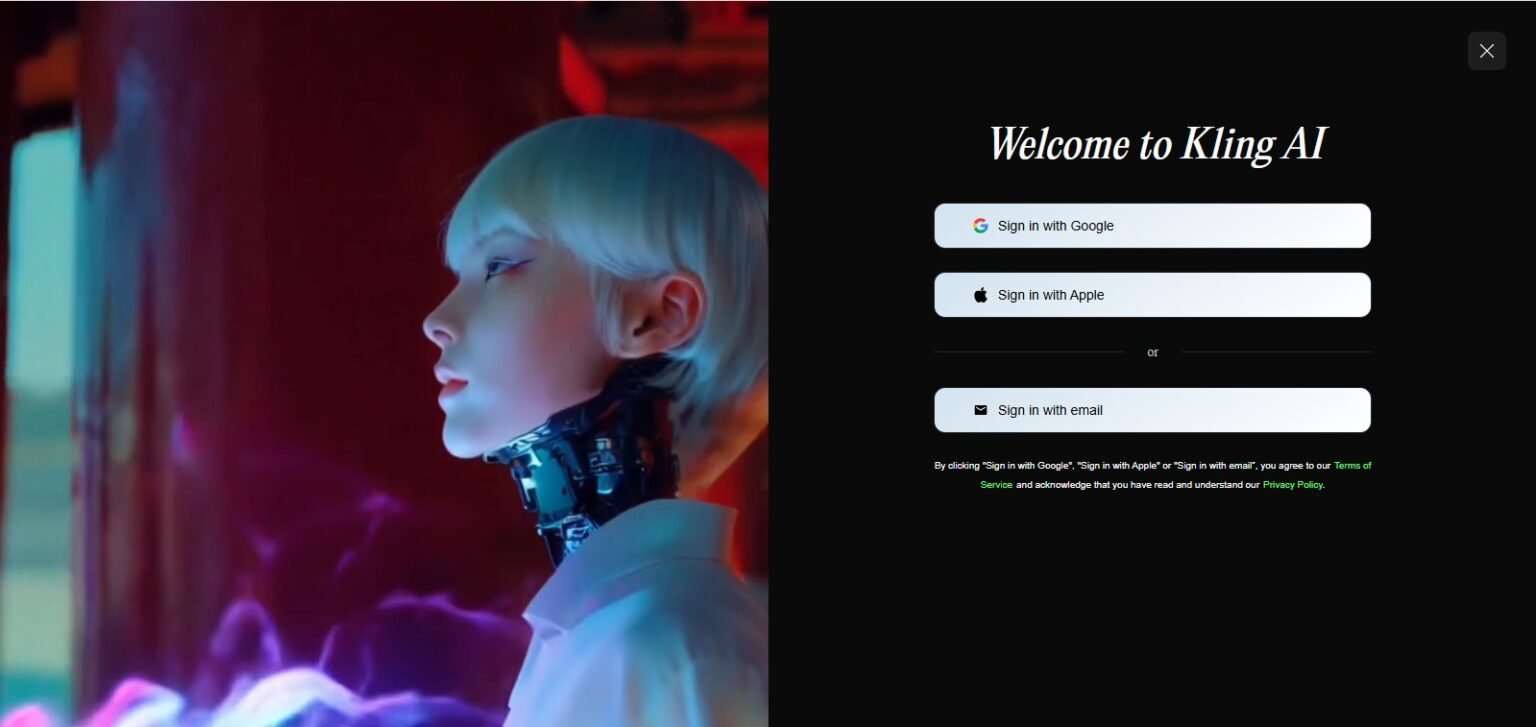
- Go to klingai.com and sign up for a free account. You don’t need a credit card.
- Pick how you want to make your video: Text-to-Video or Image-to-Video.
- Write your prompt. Be clear about the mood, lighting, camera movement, and scene. More detail means better results.
- Choose the length and aspect ratio you want, then click Generate.
- Check the output. If you need to, use negative prompts to get rid of things you don’t want, and then regenerate.
💡 Tip of the Day: Start with negative prompts. Instead of hoping for the best, tell Kling what you DON’T want: “no blurry faces, no text artifacts, no unrealistic shadows.” The quality of the output really improves.
How does Kling AI stack up against other products?
This is where things get interesting. There are other players in this space besides Kling, and each tool has real strengths. Let’s put them next to each other.
Comparison Table
Tool | Max Duration | Resolution | Starting Price | Best At | Speed |
Kling AI | 3 min | 1080p | $10/mo | Motion and realism | Moderate |
Runway Gen-3 | 35 sec | 1080p | $15/mo | VFX and editing tools | Fast |
Luma Dream Machine | 35 sec | 1080p | Free tier | Speed and iteration | Very Fast |
Google Veo 3 | 60+ sec | 1080p+ | Via Gemini | Native audio | Moderate |
Pika Labs | 10 sec | 1080p | $8/mo | Ease of use | Fast |
Kling AI vs. Runway Gen-3
Professionals who need precise editing tools, like Motion Brush workflows and frame-level control, turn to Runway. The production environment is more polished. But Kling wins in terms of how natural the motion is, how long the video is, and how much it costs. Kling is a better deal if you’re a single person making social media content. Runway might be a better choice if you work on a production team that does VFX work.
Kling AI vs. Luma Dream Machine
Luma is just plain faster. It only takes a few seconds for generations to happen. Luma’s speed makes it hard to beat for quick iterations and trying out ten different versions. But Kling makes people move more realistically and makes longer clips. Kling is better if quality and length are more important than speed.
Kling AI vs. Google Veo 3
Google’s Veo 3 is the most powerful option, and its best feature is that it can make audio on its own. It can create dialogue, sound effects, and background noise right from your prompt. Kling hasn’t done this yet. But Kling is better when it comes to price and ease of use. Veo is harder to get to and costs more for video output that is similar. If sound is important to your project, you should look into Veo. Kling is a better deal, though.
Who Should Really Use Kling AI?
Not every AI video tool is right for everyone. This is where Kling really shines:
- Creators of social media: Make product showcases, lifestyle content, or popular video styles without having to film anything. It’s easy to make videos for TikTok, Instagram, and YouTube at the same time because the aspect ratio can be changed.
- Marketers: Want to make a product demo video but don’t have the money to do it? Kling can make polished, professional-looking videos from just a picture of a product and a written description.
- Indie filmmakers and animators: Use Kling to make concept art, turn storyboards into videos, or make B-roll footage that would normally cost a lot of money to shoot.
- Owners of small businesses: Can make avatar videos, explainer videos, or promotional clips without hiring a videographer.
- Teachers and content creators: Turn ideas that don’t move into visual explainers. A history teacher can make a scene from ancient Rome. A teacher of science can picture a chemical reaction.
Questions That Are Commonly Asked
Can you use Kling AI for free?
Yes, the free plan gives you 66 credits every day, and you don’t have to give them your credit card number. That’s enough to make a few short videos every day. The trade-off is that it takes longer to generate and has a resolution of 720p. If you need more volume or better quality, paid plans start at $10 a month.
Is Kling AI available in the US and around the world?
Kling AI went live around the world in June 2024 and is available in most countries, including the US. You can get to it through the web platform at klingai.com. Some markets may still have regional restrictions, but the number of places where you can get it has grown a lot.
Is Kling AI better than Luma and Runway?
It all depends on what you want. Kling is the best at making videos look real and at making them long. Runway is the best when it comes to editing tools and production workflows. Luma is the fastest at making things. There isn’t one “best” tool; each one has its own use. Most serious creators use two or three tools, depending on the project.
How many credits does a video really cost?
It depends on the model, the resolution, and how long it lasts. A rough guide is that a 10-second video in Professional Mode at 1080p costs about 70 credits. The 5-second version costs about 35. Regular Mode uses fewer credits, but the output is clearly lower quality.
Is it okay to use Kling AI videos for business?
Most of the paid plans let you use the service for business. The free plan doesn’t. Before using generated content in paid campaigns or client work, always double-check the terms of your specific plan.
How long can Kling make a video?
The video extension feature on Premier plans lets Kling make clips that are up to 3 minutes long. Depending on your plan tier, standard generations without an extension usually last between 5 and 60 seconds.
Does Kling AI work on phones?
Yes. You can access Kling on your phone’s web browser, and Kuaishou also has mobile apps that let you do the same things through apps like WeiCut/KwaiCut. The web experience is good on both Android and iOS.
In the End
Kling AI is one of the best AI video generators on the market right now. The motion quality is really good, the prices are reasonable, and it has features like Elements and video extension that most of its competitors don’t have yet.
Is it perfect? No. It can be annoying to wait for generations on the free tier, and the credit system takes some getting used to. But it’s hard to argue with the value when you think about how good it is, especially compared to what was possible just a year ago.
Now is the time for these people to jump in:
- For beginners, the free plan is a good place to start. Try things out, learn how to use the prompts, and see what’s possible before you spend any money.
- Regular creators: The Pro plan at $37/month is perfect because it gives you 1080p quality, 3,000 credits, and 60-second generation lengths.
- For professionals, Premier is made for volume. If you make videos every day, this tier has the best price per credit.
The field of AI videos is changing quickly. But as of early 2026, Kling AI is one of the few tools that really does what it says it will do. You can try it for free today and see for yourself.

Best Aluminium, Glass & HVAC Services in Islamabad & Rawalpindi — CHISHTI Aluminium & Cool Point Review
Looking for a reliable contractor in Islamabad or Rawalpindi for aluminium windows, glass work, UPVC doors, or AC installation? Read
HeyGen AI Review 2026: Still the Best AI Video Generator?
Hey there! If you’re searching for a reliable ai video generator that actually delivers professional results without a film crew,

Venice AI Review 2026: My Honest Experience with the Best Private AI Chatbot 2026
Hey there, friend. If you’re reading this, I’m guessing you’re in the same spot I was two weeks ago —
Pingback: SEO Experts at Garage2Global for Real Growth SEO Experts at Garage2Global for Real Growth
Pingback: Genie 3: The No-BS Guide to Google DeepMind's New AI World Model Genie 3 Guide: Google’s New AI World Model Explained
Pingback: Best Voice AI Platforms 2025: The Complete Guide to PolyAI Alternatives and Enterprise Implementation
Pingback: Higgsfield AI Review 2026: My Honest Take After Using It for Weeks