
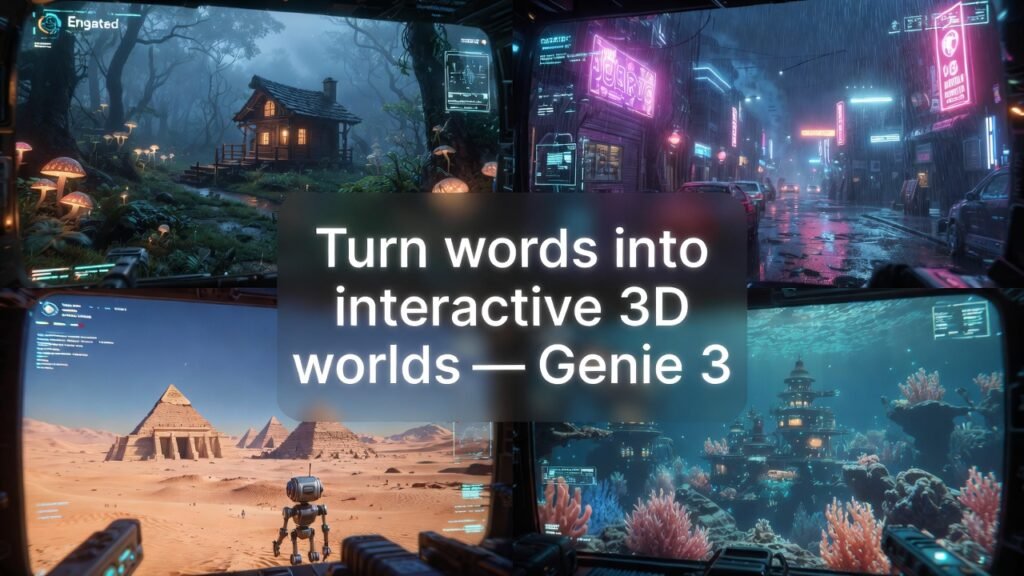
Genie 3: The No-BS Guide to Google DeepMind’s New AI World Model
You know the clips: you type a sentence, and all of a sudden you’re walking around in a 3D world that you could play in that didn’t exist 10 seconds ago. In short, that’s Genie 3.
Genie 3 is Google DeepMind’s general-purpose world model. It’s an AI system that turns text prompts into interactive environments that you can move around in real time at 24 frames per second and 720p. Genie 3 is different from regular “video generators” because it’s not just spitting out a clip. For a few minutes at a time, it’s creating a world that reacts to what you do.
Aslo Read: SEO Experts at Garage2Global for Real Growth
Kling AI Review 2026: Is this the best AI video maker?
AI Regulation New Today: What’s Actually Changing?
This guide will explain what Google Genie 3 is, how it works, how to get to Project Genie, real-world uses (from game development to robotics), its technical architecture, and how it compares to tools like Sora, Runway, and Unity. By the end, you’ll know exactly what you can and can’t do with Genie 3 right now, as well as how to be one of the first to get it when it becomes available to more people.
How Genie 3 Works Without All the Buzzwords
You might be thinking, “Okay, but what is a world model?”
Genie 3 is an autoregressive model that predicts the next frame of a 3D world over and over again, keeping track of what it made before. That memory gives it a kind of “intuitive physics”: things keep acting the same way, scenes don’t reset at random, and the effects of your actions last for a few minutes.
Genie 3 World Model Architecture (High-Level)
This is the non-academic view of the genie 3 world model architecture.
Input
Text prompts in natural language (and in some demos, images or short videos to get the user used to it).
Output
A 720p, 24 fps interactive 3D world where you can move around, start events, and interact with things.
Engine
An autoregressive world model that works one frame at a time, based on the previous frames and what the user does.
Consistency
The model keeps track of object positions, lighting, and spatial relationships for a few minutes, so the environment doesn’t “forget” what happened.
Physics
There isn’t a specific physics engine; Genie 3 learns about physics from data (like how things fall, hit each other, or move) and then acts in a way that makes sense.
“The model is auto-regressive, which means it makes one frame at a time. It has to look back at what it made before to figure out what will happen next.”
Important Specs You Should Know
If you’re good with computers, here’s the “Can I really use this?”
Layer
The output for the environment is 720p (HD).
Real-time frame rate
24 fps.
Length
World coherence lasts for a few minutes of continuous interaction.
Interactivity
You can navigate in real time, move the camera, and trigger events like changing the weather, spawning enemies, and opening doors.
Use mode
Right now, it’s being used as a research-based AI world model for training agents, running simulations, and creating interactive experiences.
This is where it gets interesting: Genie 3 is more interactive than video but less controllable and tool-rich than Unity or Unreal (for now).
Project Genie: Access, Pricing, and System Requirements
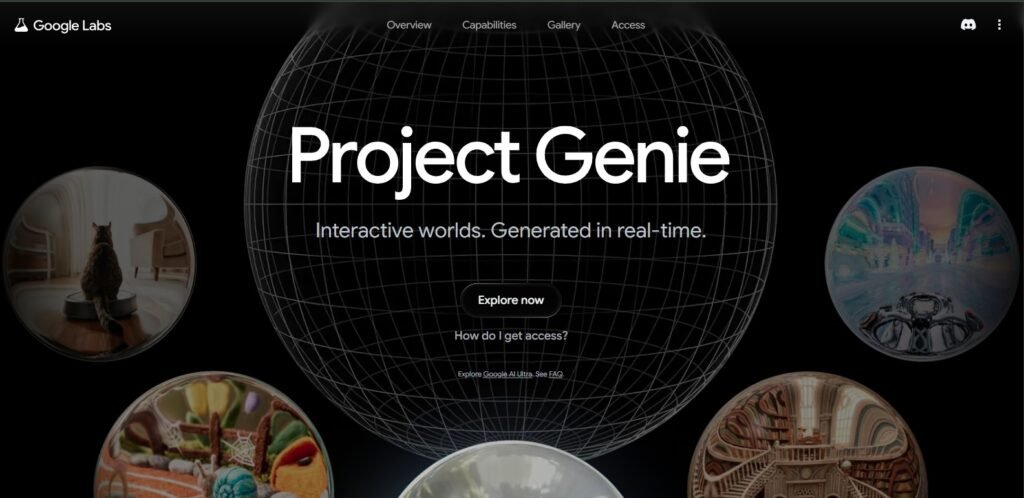
How to Get to Project Genie Right Now
Project Genie is the overall experience that brings Genie 3 to life as an interactive world-building tool within Google’s ecosystem. This is the truth as of the beginning of 2026:
- The main way in is through Google’s high-end AI subscription levels, like Google AI Ultra and Google One AI Premium.
Prices
- In the US, Google AI Ultra costs about $249.99 a month, and Project Genie is the main benefit.
- Google One AI Premium costs $19.99 a month and gives you access to more Gemini features. Some reports say that this level is also linked to Genie/Project Genie experiments.
Geo restrictions
Right now, only people in the US can access it, and VPN detection is in place.
Account limits
No family sub-accounts, no accounts that only get promo credit, and some Workspace domains are not included.
So, is Google Genie 3 free?
No, for all intents and purposes. You can either pay for a high-tier AI plan or get on a low-odds waitlist that only lets in about 3% of non-Ultra applicants.
How to Get Early Access to Google Genie 3
Sign up for a plan that works for you
Google AI Ultra is $249.99 a month in the US, but you have to be able to afford it.
Or Google One AI Premium, where they are testing Project Genie experiments.
Use a Google account that is eligible
This is a personal account with active billing, not a child account or just promo credit.
Visit the Project Genie page in Google Labs
Example pattern: labs.google/projectgenie (the exact path may change, but it can be found under Google Labs and Gemini experiments).
Accept the terms for sharing data and getting started
This includes a quiz about research preferences and “Enhanced Data Sharing.”
Wait for the provisioning
Even on paid tiers, access can take 24 to 72 hours. People on the waitlist may never get in.
Quick note: Early approvals seem to favor researchers (.edu), GCP customers, YouTube partners, and Google for Startups alumni—basically, people who are likely to stress-test agentic workflows and then pay for them on a large scale.
User-Side Genie 3 System Requirements
Genie 3 runs on the server side, so your hardware doesn’t need a gaming GPU, but you do need:
- A modern browser that can stream at 720p and 24 frames per second.
- Stable broadband (more than 20 Mbps for smooth interactive video).
- If you want quick navigation, you need low-latency connectivity.
Google does all the hard work; your device just needs to show the world and send back input quickly.
How to Use Google Genie 3: A Beginner’s Guide
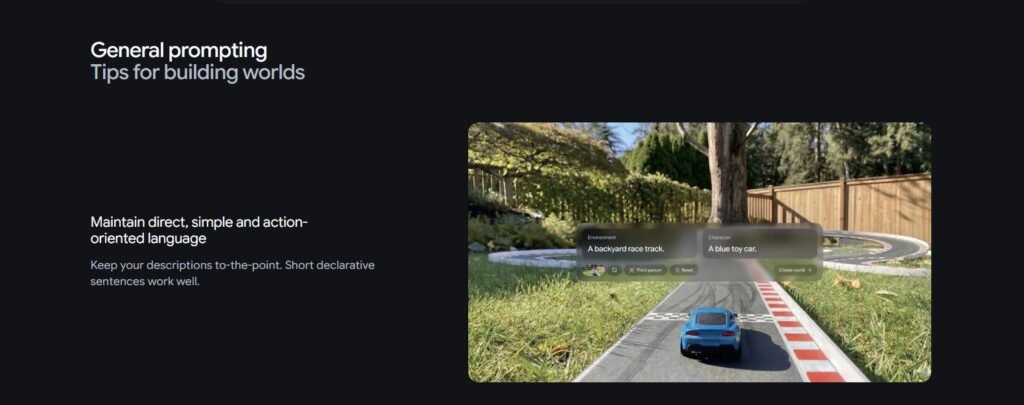
Step by Step: From Words to a 3D World
Tell me about the world you want
For example, “Low-poly sci-fi corridor, flickering neon lights, third-person character, keyboard controls, light fog.”
You can choose the style (pixel art, photorealistic, low-poly), the time of day, the type of environment, and the basic gameplay.
Let Genie 3 make the base world
The model makes a 720p, 24 fps interactive world.
In most demos, you’ll see a scene that you can play with a camera and character that you can control.
Find your way around and test physics
Move around, bump into things, test the edges, and see how things fall or hit each other.
This is where Genie 3’s new physics and environment consistency come into play.
Change the world with follow-up prompts
“Put in rain and thunder.”
“Make three flying drones that chase the player.”
“Change this into a snowy forest with the same character.”
Genie 3 responds right away while keeping the world in order.
Export or iterate, depending on the tools you have
You can’t export full Unity projects yet, so current research and preview tools are still limited.
Genie 3 can be used as a gameplay sandbox, a place to train agents, or a visual prototype, though.
Quick Tip: Use Genie 3 like an improv partner. Don’t try to fit your whole idea into one big prompt; instead, give it smaller prompts over time. That way, you’ll get more worlds that you can use.
The best prompts for Genie 3 (Starter Pack)
- “Pixel-art city at night with light rain, a character you can control, and basic jumping and moving.”
- “Photorealistic medieval village square at sunset, third-person exploration, and people walking around.”
- “Low-poly desert canyon, first-person view, scattered obstacles, and simple running and dodging gameplay.”
- “Cartoon forest with floating platforms, bright colors, and double-jump controls that work.”
Then you can add layers like “add enemies,” “change the weather,” or “make gravity lower” to see how Genie 3’s physics simulation changes.
Real-World Uses: From Making Games to Building Robots
Google Genie 3 for making games and prototypes
Genie 3 turns into a fast prototyping machine if you make games or interactive experiences.
- Proof-of-concept worlds in minutes, not days
- Testing mechanics, vibes, and level ideas quickly
- Early playable demos for pitching or internal reviews
You’re not replacing Unity or Unreal for shipping games, but you’re cutting down on the “what if we…” phase by a lot.
Pro Tip: Use Genie 3 to check the feel, pacing, and themes of the environment for the players. Then, use your own engine to rebuild the winners. Use it as a sketchbook for designing worlds, not as a tool for making things.
Genie 3 for training AI agents and robots
This is where DeepMind works.
Genie 3 lets you train embodied agents in a rich, controllable simulation environment without having to write code for physics or assets.
- Teach basic behaviors for navigation, exploration, and manipulation.
- Make an endless number of different environments for learning.
- Keep physics realistic while making layouts that look like they could happen in real life.
You can test out tasks like path planning and avoiding obstacles in simulated spaces before working with real hardware. This is especially useful when you combine Genie 3 with generalist agents like SIMA-style models.
Use Cases for Education, VR, and Storytelling
Google Genie 3 can be used for schoolwork in the following ways
- Rebuilding the past (for example, ancient cities and battlefields).
- Science visualization (like showing how planets move in a stylized world).
Genie 3 for telling stories in an interactive way
- Make story prompts into scenes that can be explored.
- Quickly make interactive experiences that branch out.
Genie 3 for the metaverse and virtual reality
- First, make a prototype of the VR worlds, and then use a real engine to build them.
- Test ideas for social hubs, event spaces, or immersive marketing under stress.
A common mistake is to think that Genie 3 will replace your 3D pipeline right away. It is a strong layer for simulation and idea generation, but it is not yet a full Unity or Blender alternative.
Genie 3 vs. Sora, Runway, Pika, Unity, and others
Table of High-Level Comparisons
| Tool or Platform | Type | Interactivity | Type of Output | Best For |
| Genie 3 | Model of the world | Yes | 3D worlds in real time | Training agents, making prototypes, and running simulations |
| Models in the style of Sora and Veo | Making videos | No | Fixed video clips | Video for movies, ads, and stories |
| Pika, Runway | Editing videos and making AI videos | No | Clips with effects | People who make things, market them, and make YouTube videos |
| Unreal and Unity | Engines for games | Sure | All games and apps | Games and simulations that are ready for production |
| Roblox Studio | UGC engine and platform | Yes | Experiences you can play | Games for socializing, user-generated content, and communities |
Genie 3 is better thought of as a training ground or sandbox for agents and ideas than a final content delivery tool because it simulates a coherent world over time with interactive physics.
What This Means for You: Use video models if you want polished trailers. Engines are what you need if you want to ship games. Genie 3 is great for quickly exploring ideas or training agents in changing worlds.
Technical Deep Dive (For Developers and Researchers)
Physics Consistency and Autoregressive World Models
The main idea behind Genie 3 is an autoregressive model that uses spatiotemporal representations to guess what the next frame will be based on the past, user actions, and the state of the world.
Important technical details
- Temporal coherence: The model keeps track of its own memory, so when you go back to an area, it brings back the details from before instead of randomly generating new ones.
- Physics-like behavior: There is no clear engine; instead, physics comes from finding patterns in the training data (like collisions, gravity, and motion).
- Planning for the short term: The model works best when the time frame is short (minutes), which is fine for rich interactions but not for full open-world RPG sessions.
Genie 3 is especially useful for research on embodied intelligence and robotics training environments because you can use natural-language prompts to programmatically create tasks and worlds.
Access for developers, SDKs, and APIs
As of early 2026, public access to the genie 3 SDK and API is not as easy to get as, say, a standard model API. Instead, you have to use Project Genie and controlled research programs to connect.
But right now, patterns suggest:
- Genie 3 is not an open-source model on its own; it is a service that works with Google’s AI stack.
- Enterprise and research partners will probably get early access to the API before it is made available to more developers.
- Google’s private or semi-private portals are where the “Project Genie developer documentation” is being made, not public GitHub-style repos.
If you’re a developer and want to make sure your work will last, get used to setting up prompting, scenario design, and agent training that works with a text-to-world interface like Genie 3 instead of writing code for each environment.
FAQ: Google Genie 3 and the Genie Project
In simple terms, what is Google Genie 3?
Google DeepMind’s Genie 3 is a real-time interactive world model that turns text prompts into 3D worlds that you can play in at 720p and 24 frames per second. The physics and environment stay the same for a few minutes.
What makes Google Genie 3 different from other AI video tools?
Most AI video tools make clips that you can’t change. Genie 3 makes interactive worlds that you can move around in and change in real time, with physics and memory of past frames.
Is it free to use Google Genie 3?
No. There is no free tier for full access to Project Genie yet. You can only get in by paying for Google AI Ultra or Google One AI Premium, or by joining a gated waitlist.
How can I get into Project Genie?
To sign up for Google AI, you need an eligible Google AI subscription, a US account that works with it, and to agree to the research and data-sharing terms on the Project Genie page. Some users can also apply through a waitlist with low approval rates.
Can I make games with Genie 3?
Yes, for coming up with ideas and making prototypes. You can quickly come up with and test ideas for gameplay, but you still need engines like Unity or Unreal to make a full commercial game.
Can Genie 3 be used for VR or metaverse projects?
Not directly. Genie 3 is great for making prototypes of VR or metaverse worlds, but you’ll usually have to rebuild the environments that work in your target engine before you can use them.
What does Genie 3 need to work?
You only need a modern browser, good bandwidth to stream 720p at 24 fps, and low-latency internet for responsive controls because rendering happens on the server side.
In conclusion, where Genie 3 fits into your work flow
Let’s finish this up with what matters to you.
Genie 3 is more than just another video game; it’s a world model. It makes 3D environments that are interactive and consistent from text in real time.
Access is gated and expensive—for now. Think of AI Ultra or AI Premium, US-only, and hand-picked waitlists.
Game prototyping, training AI agents, simulating robots, and educational and storytelling sandboxes are some of the best uses right now.
It won’t take the place of engines or editors just yet, but it will make it much faster to come up with new ideas and train agents.
Text-to-world is not a gimmick; it’s a skill that builders need to learn. Tools like Genie 3 will become part of the infrastructure.
What to do
If you really want to play with Genie-style world models, start a notebook right away. Write down 20 to 30 world ideas you want to make, and then figure out which ones are for prototyping, which ones are for agent training, and which ones should go in future production engines. That way, when access becomes available in your area or budget, you won’t be looking at an empty text box; you’ll be ready to start building..