
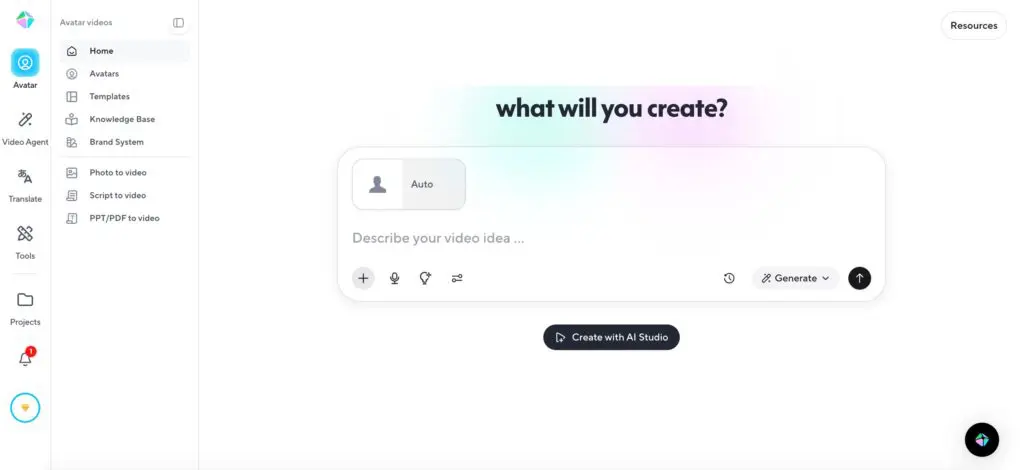
Hey there! If you’re searching for a reliable ai video generator that actually delivers professional results without a film crew, you’re in the right place. I just wrapped up my hands-on HeyGen AI review 2026 after testing the platform for weeks, and I’m excited to share everything. Whether you’re a marketer, trainer, or solo creator, this HeyGen review breaks down exactly what works in 2026, what’s new, and who it’s truly for.
I’ve used HeyGen to create everything from quick onboarding videos to full multilingual campaigns. Spoiler: HeyGen remains one of the strongest ai video generator options for structured, presenter-style content. Let’s dive in.
Read More: Is Sakura AI Safe, Free, Worth It & the Ultimate Character AI Alternative?
What Is HeyGen in 2026?
HeyGen is a web-based ai video generator that turns scripts, ideas, or simple uploads into polished videos featuring lifelike AI avatars. No camera, no lighting, no editing headaches—just type, customize, and export. The platform now powers over 107 million videos for 100,000+ teams worldwide.
What sets HeyGen apart is its focus on consistency and scale. It’s perfect for training modules, product explainers, sales demos, and global marketing. The 2026 updates (including a brand-new Pro plan and smarter AI tools) make it even smoother.
Must Read: How to Turn on Spicy Mode in Grok AI
HeyGen Pricing 2026 – Clear Breakdown
One of the first questions everyone asks is heygen pricing 2026. Here’s the latest official structure (annual billing saves ~17%):
| Plan | Monthly Price | Annual Price | Best For | Key Limits & Features |
|---|---|---|---|---|
| Free | $0 | $0 | Testing | 3 videos/mo, up to 3 min each, 720p, watermark, limited avatars |
| Creator | $29 | $24 | Solo creators | Unlimited videos (30 min max), 1080p, 1 Digital Twin, voice cloning, 175+ languages |
| Pro | $99 | – | Power users | Everything in Creator + 4K, 10x premium usage, faster processing, translation proofreading |
| Business | $149 + $20/seat | – | Teams | 60 min videos, 5 Digital Twins, interactive video, SCORM export, SSO |
| Enterprise | Custom | Custom | Large orgs | Unlimited everything, dedicated support, highest security |
This heygen pricing 2026 makes sense once you start creating regularly. The HeyGen free plan 2026 is strictly for testing—don’t expect to publish with it.
Is HeyGen Worth It 2026?
Short answer: Yes, if you create videos regularly. In my HeyGen AI review 2026, the ROI is massive when HeyGen replaces filming or outsourcing localization. One video can become 175 language versions in minutes. For occasional use, the subscription might feel steep—but for teams, it’s a no-brainer time-saver.
How to Use HeyGen AI 2026 – Complete Step-by-Step HeyGen Tutorial
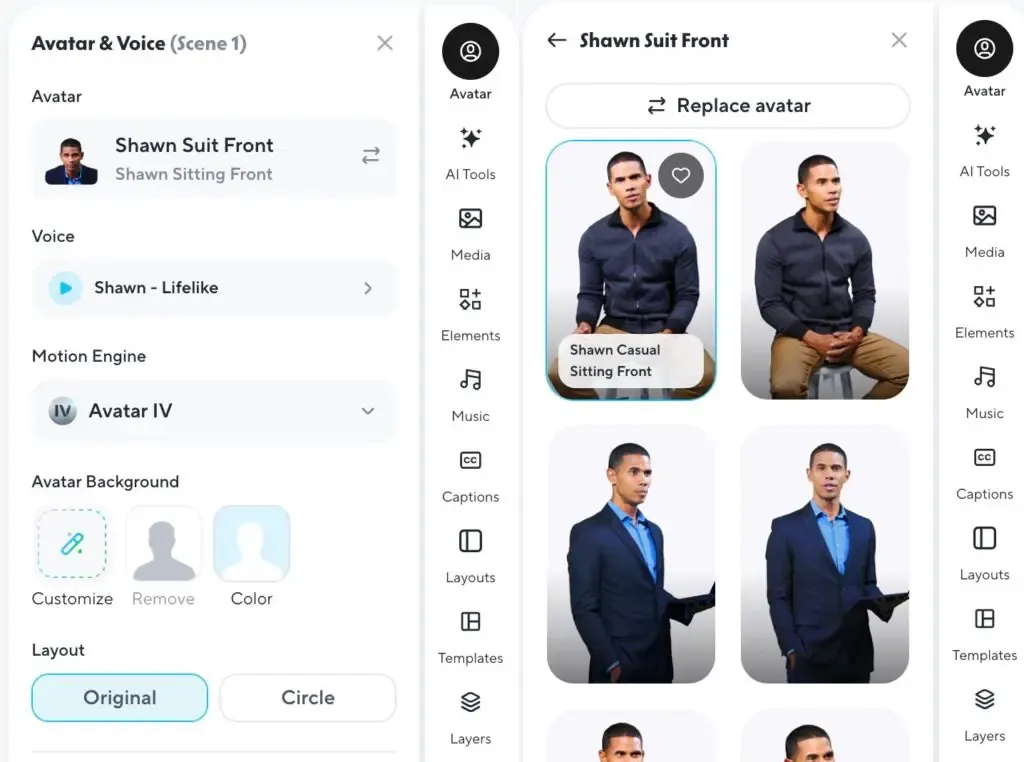
Ready to jump in? This how to use HeyGen AI 2026 guide will have you creating your first video in under 10 minutes.
HeyGen Video Agent Tutorial
- Log in at heygen.com and click “Create Video” → choose Video Agent.
- Type a simple prompt: “Create a 90-second product demo for our new coffee maker in Spanish.”
- HeyGen builds a full blueprint (scenes, script, visuals). Chat to refine: “Make it warmer and add a call-to-action slide.”
- Hit Generate. Done.
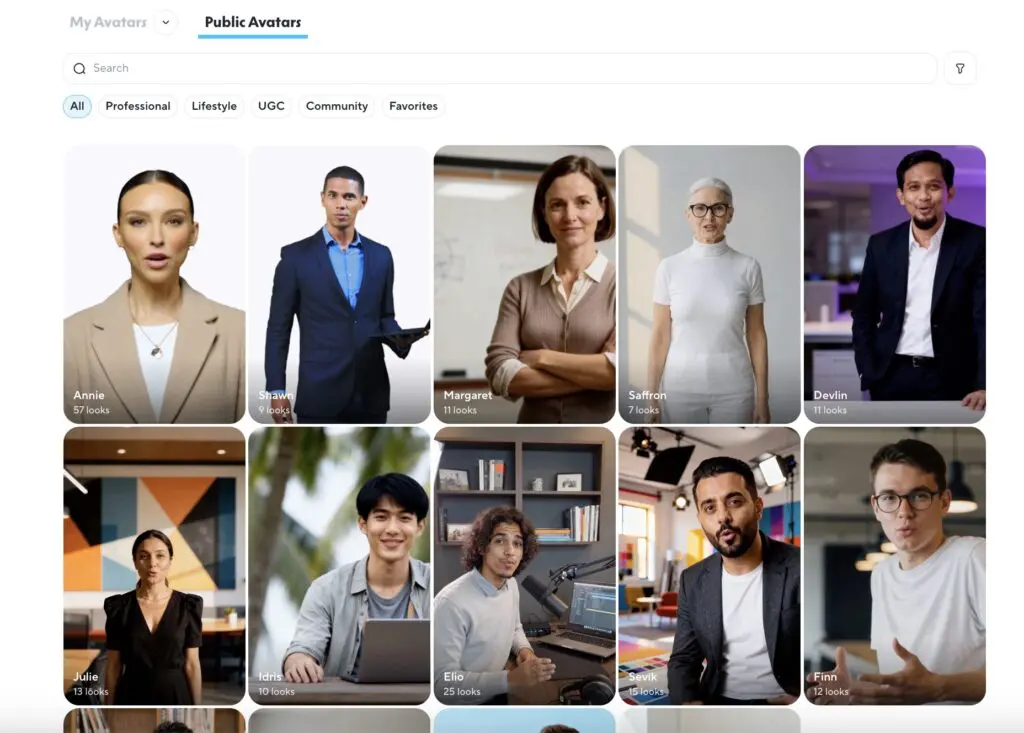
HeyGen Custom Avatar Tutorial & Create Digital Twin HeyGen Want your own face? Here’s the heygen digital twin how to:
- Go to Avatars → “Create Digital Twin.”
- Record a 15-second webcam clip (clear lighting, neutral background).
- HeyGen processes it in minutes. Your clone now speaks with perfect lip-sync.
- For quicker results, use Photo Avatar: upload one clear headshot and instantly get a talking version.
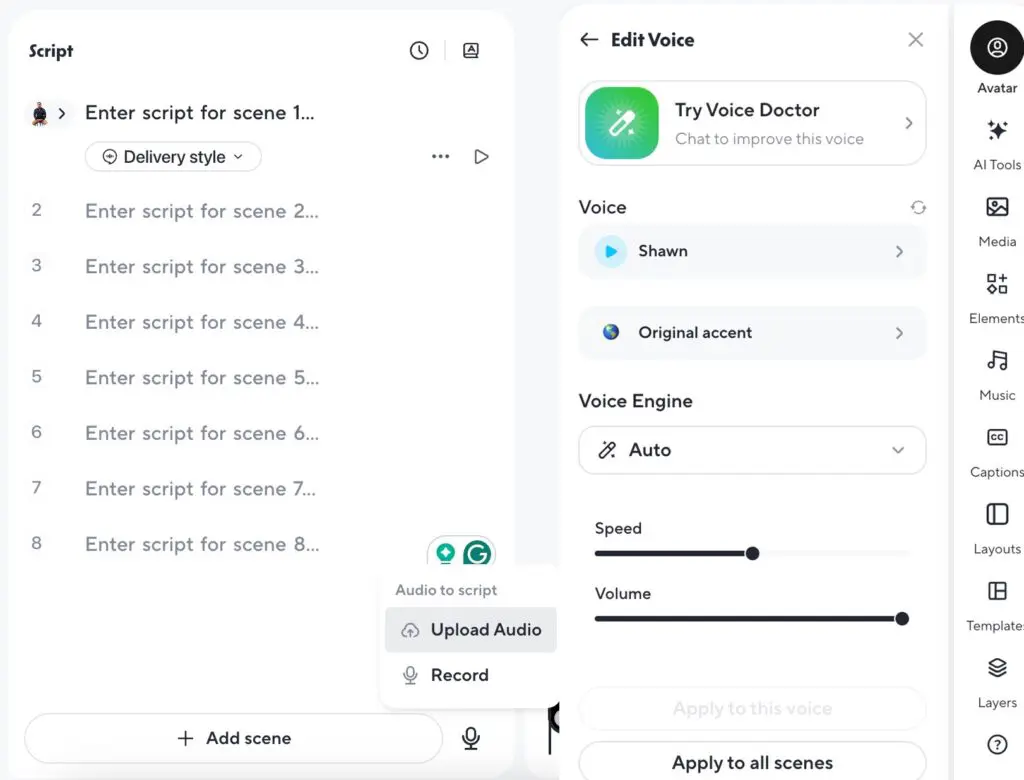
HeyGen AI Studio Guide This is my favorite new feature. The text-based editor feels like editing a Google Doc:
- Paste your script.
- Highlight any line to adjust tone, add pauses, change gestures, or fix pronunciation.
- Add b-roll, music, or text overlays without timeline drama. Pure magic for non-editors.
HeyGen Translator Lip Sync 2026 Upload any video → click Translate → pick languages. HeyGen keeps the same avatar, auto-dubs with accurate lip-sync, and adds subtitles. I tested English → Spanish → Arabic and the results were impressively natural.
HeyGen Pro Plan Features – Worth the Upgrade?
The HeyGen Pro plan features are built for creators who outgrew the Creator tier:
- 4K exports
- 10x more premium AI usage
- Faster rendering
- Translation proofreading
- Early access to new models
If you create long-form or high-volume content, Pro pays for itself quickly.
HeyGen Free Plan 2026 – What You Actually Get
The HeyGen free plan 2026 gives you three short test videos. Great for playing around, but watermarks and low resolution make it unsuitable for client work. Think of it as a generous demo, not a production tool.
HeyGen vs Synthesia 2026 – Head-to-Head
| Feature | HeyGen | Synthesia |
|---|---|---|
| Languages | 175+ with lip-sync | ~32+ |
| Digital Twin creation | 15-second clip | Longer recording |
| AI Studio / Text editor | Full control | Good but less flexible |
| Pricing (entry) | $24/mo annual | ~$22–29/mo |
| Best for | Global marketing & training | Strict enterprise compliance |
In HeyGen vs Synthesia 2026, HeyGen wins on speed, languages, and creative control for most users.
HeyGen Alternatives 2026
Looking beyond? Top HeyGen alternatives 2026 include Synthesia (enterprise focus), Creatify (ad-specific), and InVideo (quick social clips). None match HeyGen’s combination of avatar quality and effortless multilingual translation.
Pros and Cons of HeyGen
Pros
- Insanely fast workflow
- Best-in-class heygen translator lip sync 2026
- Realistic avatars for professional use
- Excellent team and API tools
Cons
- Avatars still best for neutral delivery (limited extreme emotion)
- Free plan very limited
- Occasional peak-hour rendering delays
HeyGen AI Review 2026 – Final Verdict
After weeks of testing, my HeyGen AI review 2026 conclusion is simple: HeyGen is still one of the best ai video generator platforms for anyone who needs consistent, scalable, presenter-style videos. The 2026 updates (smarter Video Agent, smoother AI Studio, new Pro tier) keep it ahead of the pack.
If your goal is training, onboarding, marketing explainers, or global campaigns, start today. The heygen tutorial above will get you creating in minutes.
Ready to try it? Head to HeyGen, sign up for the free plan, and create your first Digital Twin this afternoon. You’ll be amazed how quickly it feels like having your own video production team.
(Word count: 1,212)
Frequently Asked Questions
What is the focused keyphrase for this HeyGen AI review 2026? “HeyGen AI review 2026” – it captures the exact intent of people looking for up-to-date information right now.
How much is HeyGen pricing 2026 for most users? Creator plan at $24/month (annual) is the sweet spot for individuals and small teams.
Is HeyGen worth it 2026 for beginners? Absolutely. The how to use HeyGen AI 2026 workflow is beginner-friendly, and the free plan lets you test everything.
Where can I find a HeyGen custom avatar tutorial? Right in the platform under Avatars → Create Digital Twin or Photo Avatar. My HeyGen custom avatar tutorial above walks you through it.
Does HeyGen offer a strong HeyGen video agent tutorial? Yes—Video Agent is now even smarter in 2026. The steps I shared will have you generating full videos from a single prompt.
Can I learn HeyGen digital twin how to in under 10 minutes? Yes! Record 15 seconds, upload, and you’re done. Full create digital twin HeyGen instructions are in the tutorial section.
What does the HeyGen AI studio guide cover? Everything from script editing and gesture control to pronunciation fixes—all without touching a timeline.
How good is HeyGen translator lip sync 2026? Outstanding. I tested 175-language versions and the lip-sync holds up beautifully even in complex sentences.
What are the HeyGen pro plan features that justify the price? 4K export, 10x usage, proofreading, and priority speed—perfect for serious creators.
Is the HeyGen free plan 2026 useful? Only for testing. Three short videos with watermarks—perfect to try before buying.
How does HeyGen compare in HeyGen vs Synthesia 2026? HeyGen leads in languages, speed, and avatar realism for most marketing and training needs.
What are the top HeyGen alternatives 2026? Synthesia, Creatify, and InVideo—each strong in their niche, but none match HeyGen’s full workflow.
There you have it—everything you need in one complete, natural HeyGen AI review 2026. Drop a comment if you create your first video today!